
Zones
Zones represent the physical charging sites (station, car park, industrial site, etc.).
They allow you to:
- attach chargers to a specific location,
- manage access and pricing,
- control energy (power, smart charging),
- publish a site for roaming or not.
Structure your zones according to the reality on the ground (sites, car parks, stations). One zone = one electrical delivery point for optimal energy management.
Zone
Information
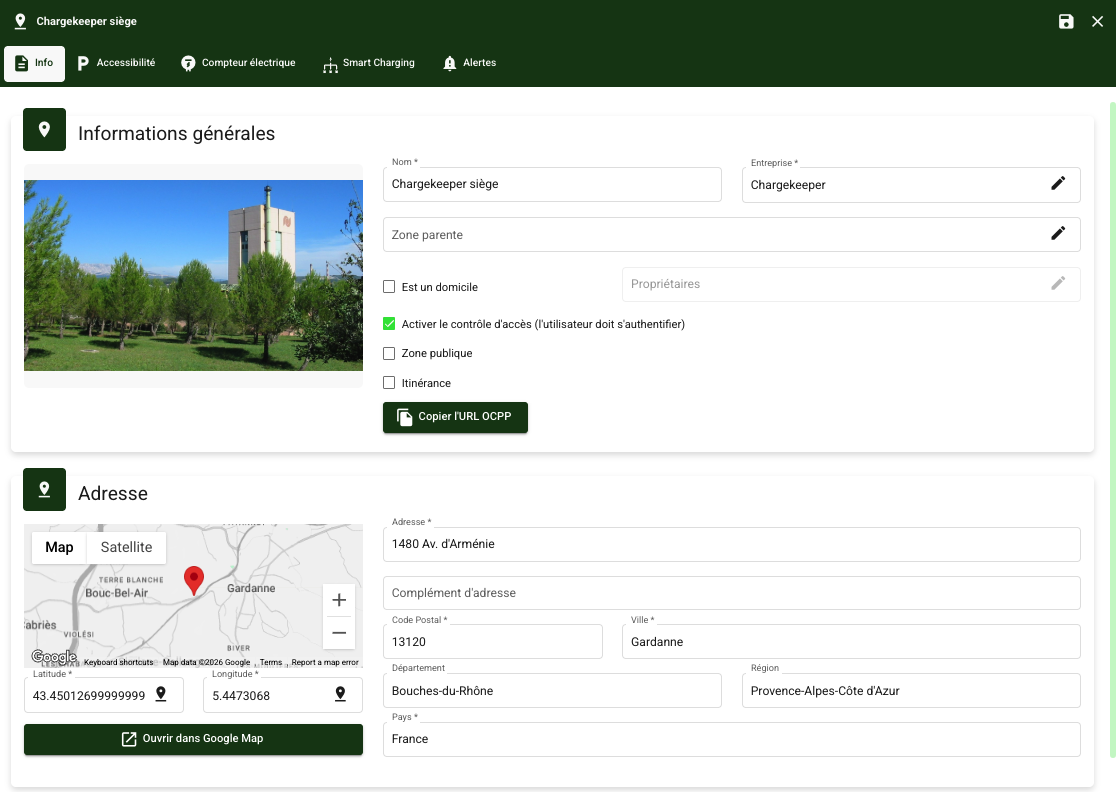
Go to the Companies module then to the Zones tab
- Click on Create a zone
- Associate the zone with a company
- Fill in:
- parent zone,
- access control,
- whether it is public or private,
- open to roaming,
- the name and address,
- the geolocation.
Configuring home zones
If the charger is installed at a user's home, you must in this case tick 'Is a home' and define the owner user.
👉 For more details, see the dedicated article on home charging.
Enabling access control
By default, access control is ticked when a zone is created. You can, however, disable it if you want to allow free access to charging (without authentication).
👉 For more details and to understand the difference between auto charge and open charge, see the dedicated articles.
Managing parent zones
Zones can be organised in a parent / child hierarchy. This mechanism makes it possible to model complex sites made up of several sub-zones.
Parent zones are used to:
- structure a site made up of several distinct spaces (car parks, buildings, levels),
- reflect the electrical reality on the ground,
- make overall control easier while keeping fine-grained management.
A parent zone does not necessarily carry any chargers, but groups together child zones that do.
Parent site: Head office
- Child zone 1: North car park
- Child zone 2: South car park
- Child zone 3: Visitor car park
Each child zone can:
- have its own chargers,
- its own access rules,
- while remaining attached to an overall site.
Public and/or roaming zone
When the zone is declared public:
- it is visible in the Chargekeeper mobile application,
- all authorised users can search for and view it,
- access rules remain controlled by pricing and groups.
A public zone is not necessarily free: access always depends on the configured pricing.
When the zone is declared for roaming:
- it is published on connected platforms (e.g. Gireve, Hubject),
- third-party users can start a charge with their badges or applications,
- sessions are handled via roaming protocols (OCPI / OICP).
Accessibility
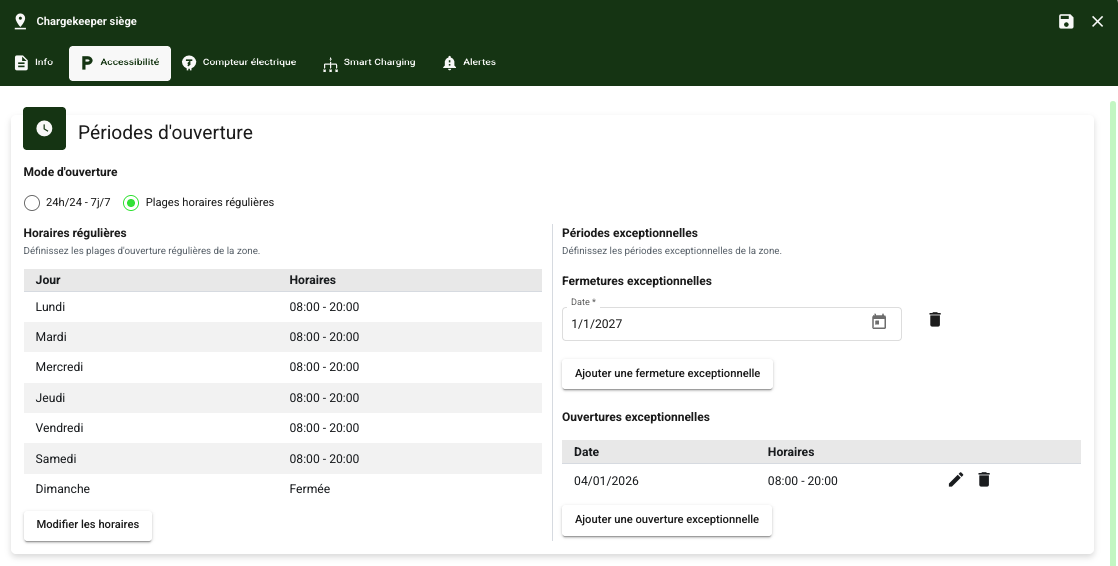
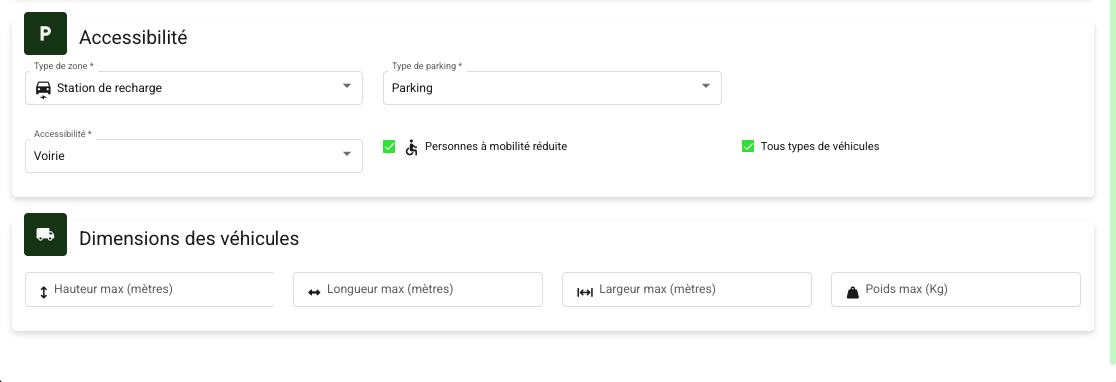
This tab lets you define the access rules and characteristics of the zone, in particular:
- opening periods (24/7 access or specific time slots),
- the type of zone (car park, private site, station, etc.),
- the accepted vehicle dimensions.
This information is used to direct the end user to a charging station suited to their needs. It is also transmitted in the OCPI feed when the zone is open to roaming.
Electricity meter
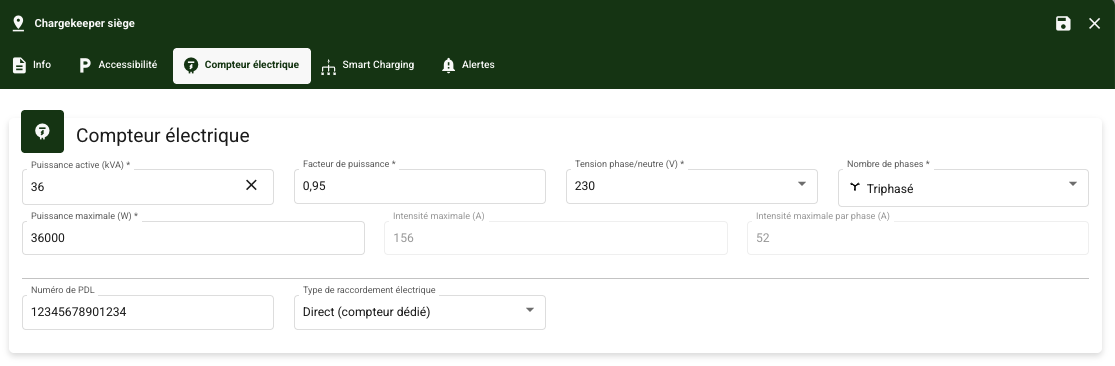
The zone must incorporate the constraints of the electrical infrastructure, mandatory when Smart Charging is enabled.
Fill in the following information:
- the active power,
- the voltage,
- the number of phases,
- the maximum power,
- the delivery point number.
Smart Charging
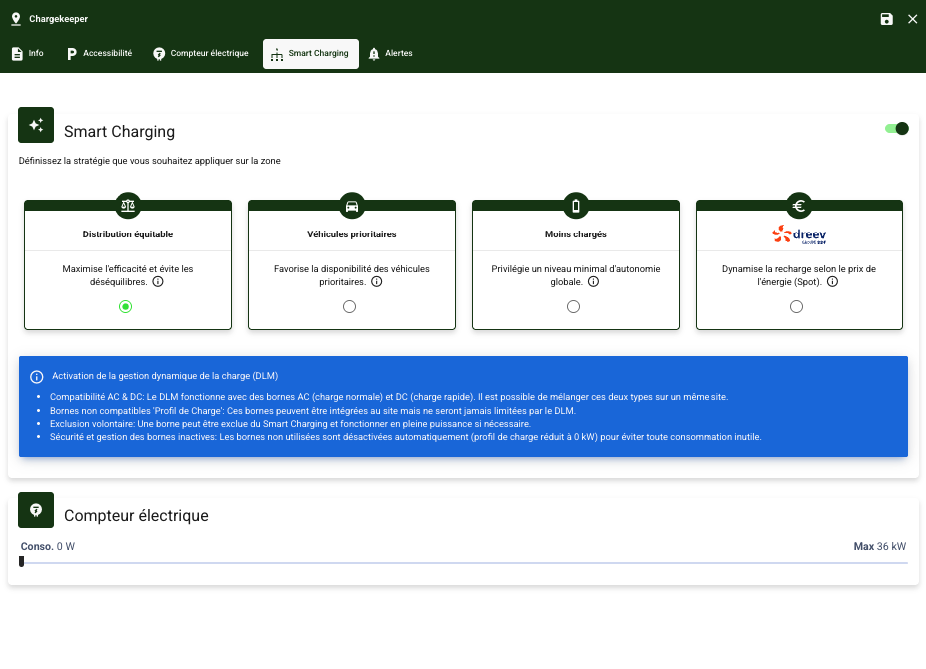
The zone lets you enable several smart charging strategies:
- Fair distribution
- Priority vehicles
- Least charged
- Dreev (By EDF)
👉 For more details, see the dedicated article on advanced features & services.
Alerts
👉 For more details, see the dedicated article on alert management.
