Home charging sessions
Introduction
Charging stations installed at employees' homes can be configured and supervised through the platform.
The diagram below illustrates a typical configuration in the supervision system, with a concrete example:
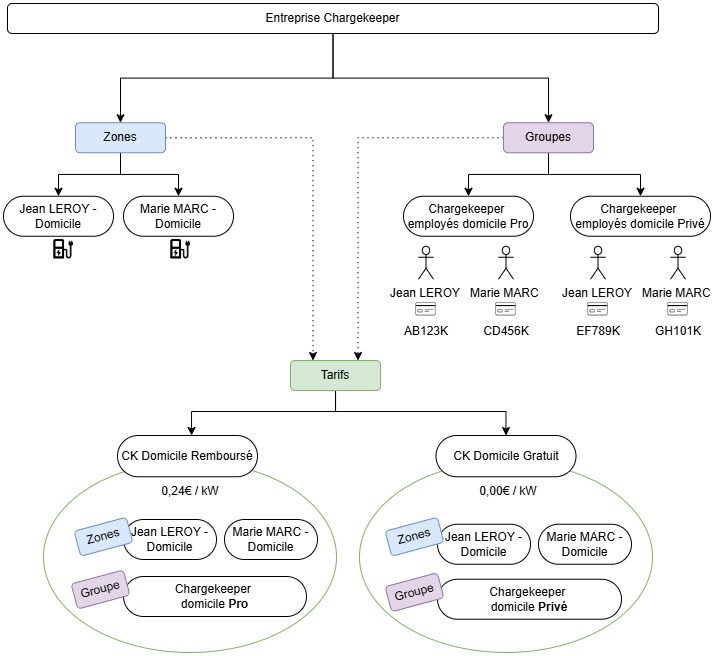
Employees Jean LEROY and Marie MARC each have a charging station at home. They can charge there using their professional or personal badge.
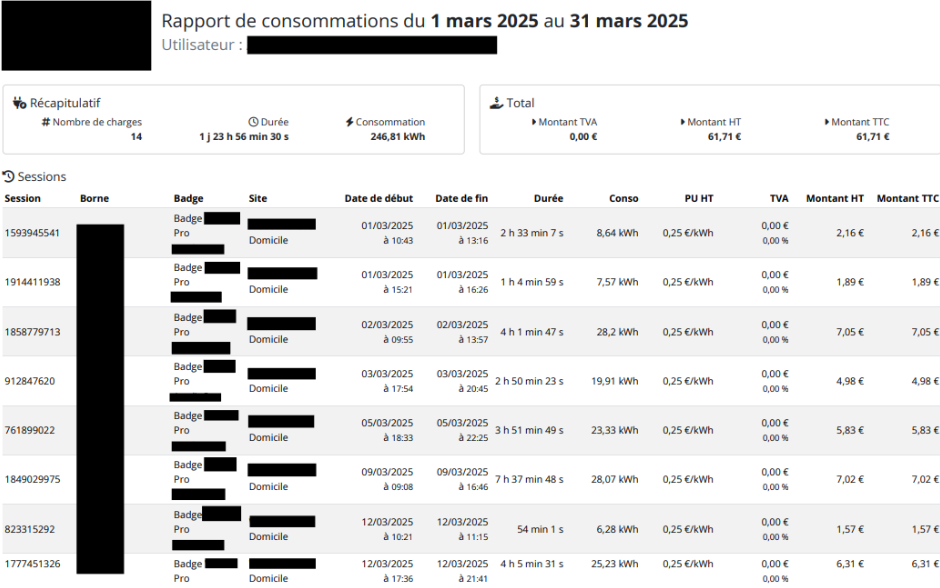
In every case, sessions are consolidated into a monthly report. However, only sessions carried out with a professional badge are valued and can be submitted by the employee as a reimbursement request for the energy consumed.
Example:
If Marie uses badge GH101K, the session will be at €0, according to the free CK home tariff. Conversely, with badge CD456K, the session will be valued according to the reimbursed CK home tariff.
Configuration steps
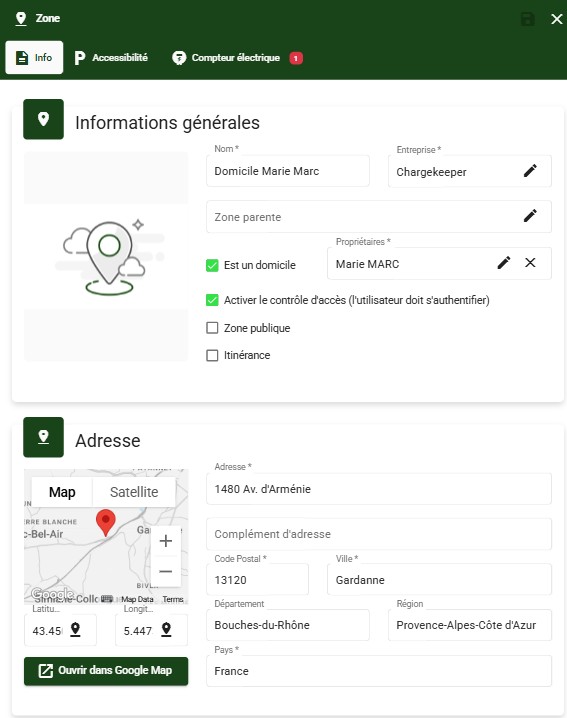
Create a home zone
- Click Create a zone,
- Enter a name (Example: Home - Last name First name),
- Check "is a home" and specify the associated user
- Enter the home address (location where the charging station is installed).
Create the groups
- Create a Pro home group,
- Then create a Private home group.
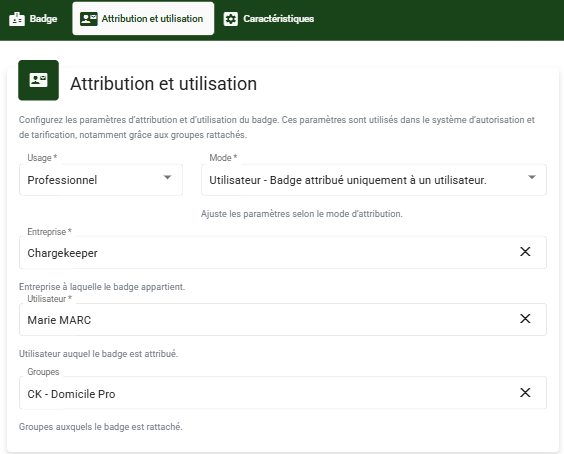
Create the badges
- Create the private badge for personal use associated with the relevant user
- Create the professional badge for professional use associated with the user, the company and the relevant group.
The groups created previously must only be associated with the badges (No change on the user).
Create the tariffs
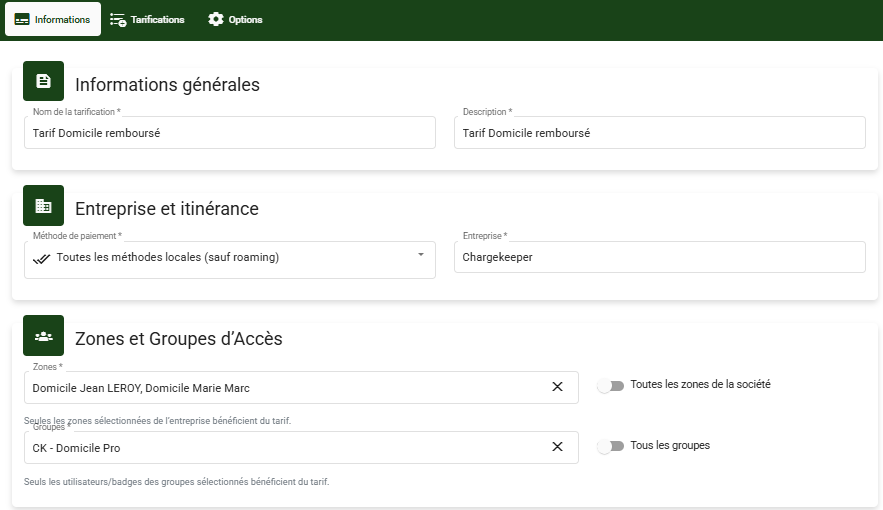
- Create a free home tariff: Associate the "home" zones and the Private home group,
- Then create a reimbursed home tariff: associate the "home" zones and the Pro home group.
Configure the automatic sending of monthly reports to users
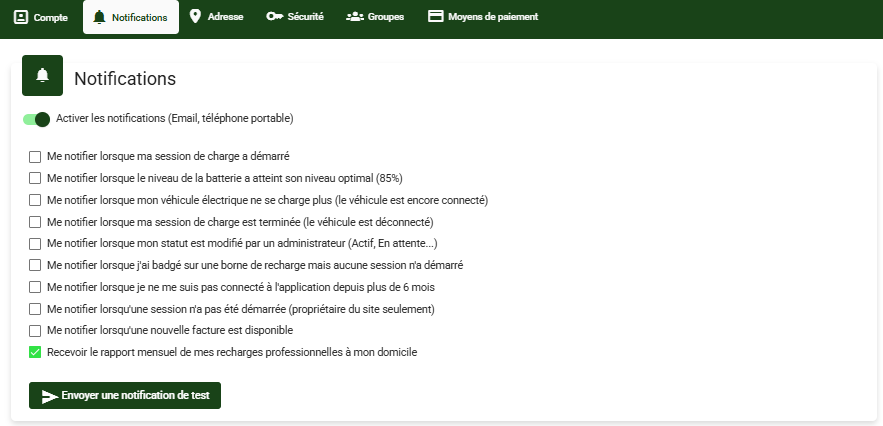
For each relevant user with a charging station at home, enable the notification 'Receive the monthly report of my professional charging sessions at my home'.
Configure the automatic sending of monthly reports to the company
You can define a list of recipients to receive the users' monthly reports.

Access the monthly charging report manually
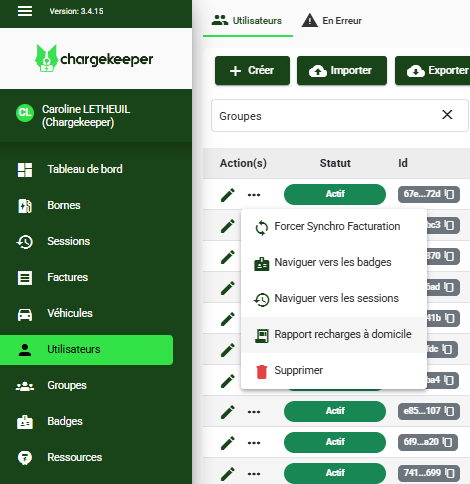
From the user, click the menu to display the list of actions, then click Home charging report.
Below is an example of a monthly report of sessions carried out at home with the pro and private badges: