
Inicio / Configuración técnica / Configure and set up a charging station / OCPP settings and recommendations
OCPP settings and recommendations
Este artículo aún no está disponible en Español. Se muestra la versión en English.
Chargekeeper supervision lets you configure a charging station's OCPP settings from the Charging Stations module and the OCPP Settings tab:
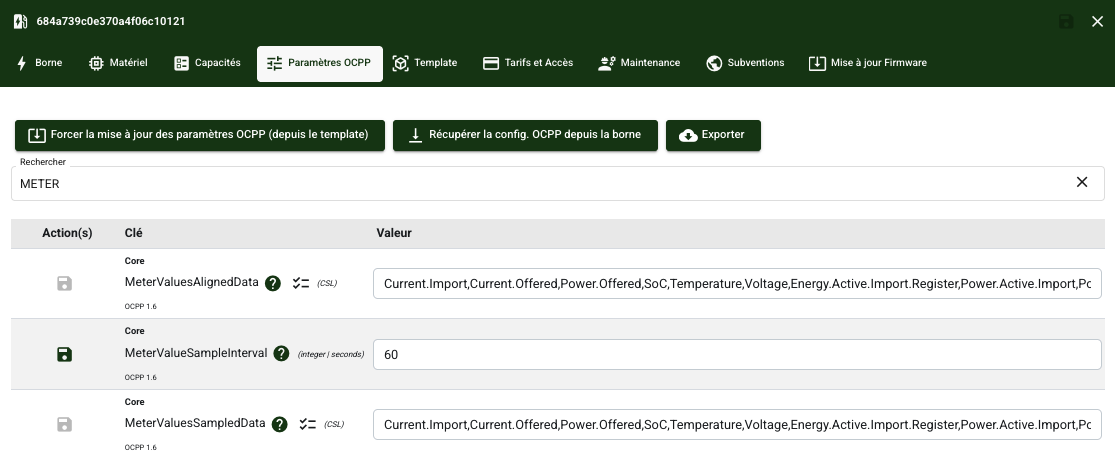
This guide walks you through the essential OCPP settings and recommends the most suitable configurations:
| OCPP key | Description | Recommendation |
| ConnectionTimeOut | Sets the maximum time the charging station waits for a response from the central system before considering the connection failed. | Set a value of at least 60 seconds to avoid premature disconnections in case of network latency. |
| AuthorizeRemoteTxRequests | Indicates whether the charging station must request authorization from the central system for remotely initiated session starts. | Enable the setting (TRUE) to ensure authorization of sessions started remotely by the central system. |
| AllowOfflineTxForUnknownId | Determines whether an offline session can be started with a badge unknown to the central system. | Enable the setting (FALSE) so as not to allow offline charging sessions with a badge not recognized by the central system. |
| HeartbeatInterval | Sets how often the charging station sends a keep-alive message (heartbeat) to the central system. | Set a value between 3,600 and 43,200 seconds depending on network and operational constraints. |
| MeterValuesAlignedData | Defines the metering data sent at synchronized moments during a session. | Always include the Energy.Active.Import.Register measurement to ensure reliable consumption tracking. |
| MeterValueSampleInterval | Sets the time interval between two consumption metering reports during a session. | Set an interval between 60 and 300 seconds for a good balance between accuracy and data volume. |
| MeterValuesSampledData | Specifies the types of measurements sent periodically during charging (energy, power, voltage, etc.). | Always include the Energy.Active.Import.Register measurement in the data reported during charging. |
| StopTxnAlignedData | Defines the metering data sent at the end of a charging session. | Always include the Energy.Active.Import.Register measurement at the end of the session to ensure reliable billing data. |
| StopTxnSampledData | Specifies the measurement values transmitted when the transaction stops. | Always include the Energy.Active.Import.Register measurement in the data transmitted when the transaction stops. |
| TransactionMessageAttempts | Sets the number of attempts to send transaction messages in case of communication failure. | Set a value between 3 and 10 attempts to ensure message delivery in case of network instability. |
| WebSocketPingInterval | Sets how often Ping messages are sent to keep the WebSocket connection active. | Set a value between 140 and 220 seconds, with a recommended value of 180 seconds. |
| LocalAuthListEnabled | Enables or disables the use of a local list of authorized badges on the charging station. | Enable the setting (TRUE) to allow the use of the local badge list. |
| LocalAuthorizeOffline | Allows a badge to be validated against the local list when the charging station is offline. | Enable the setting (TRUE) to allow badge authorization via the local list when the charging station is offline. |
| LocalPreAuthorize | Allows a badge's authorization to be checked locally before the request is sent to the central system. | Enable the setting (TRUE) to optimize access control by checking badges locally before calling the central system. |
