
B2C credit notes
Dieser Artikel ist noch nicht auf Deutsch verfügbar. Es wird die English-Version angezeigt.
Create a B2C credit note from an invoice
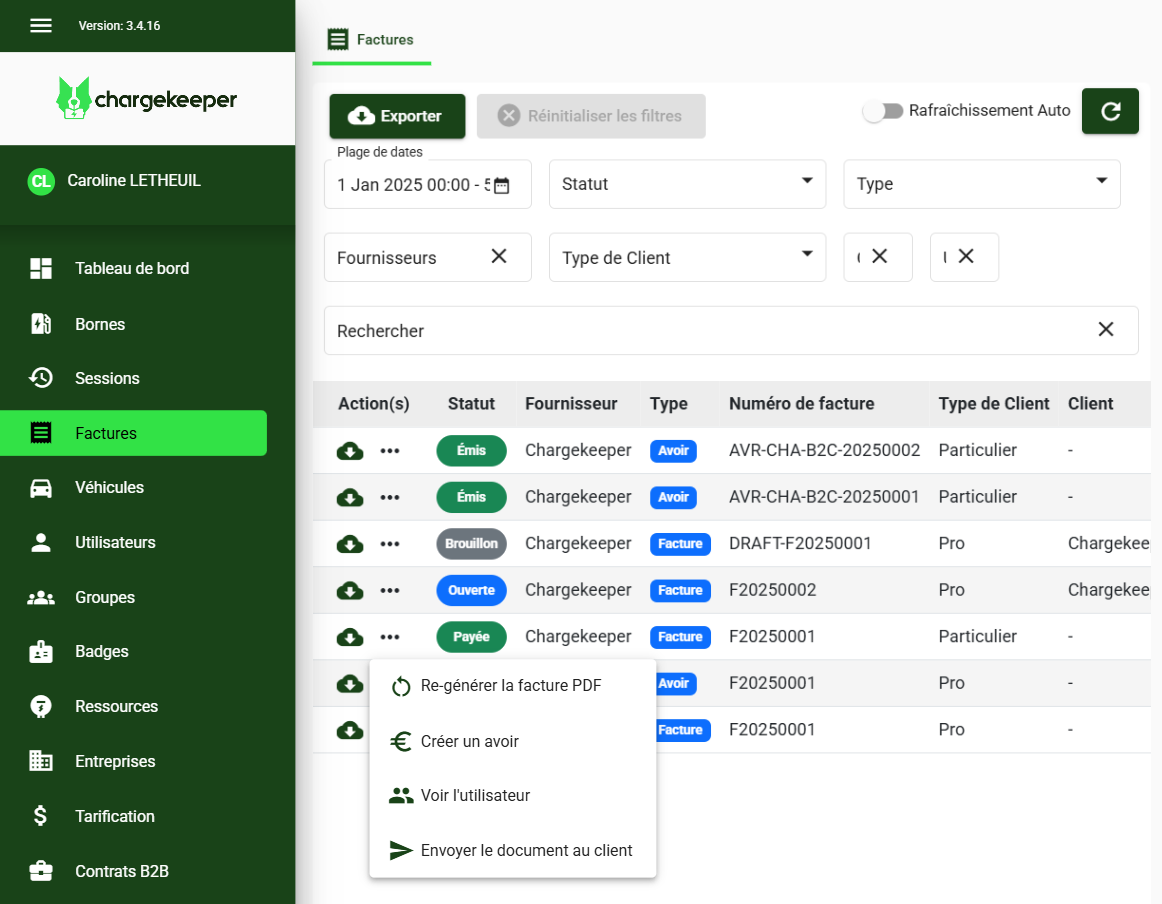
- Go to the Invoices module.
- Select the relevant invoice.
- Click the actions menu, then choose Create a credit note.
Credit note creation is available only for B2C invoices with a Paid or Partially paid status, with no time limit.
Configure the B2C credit note
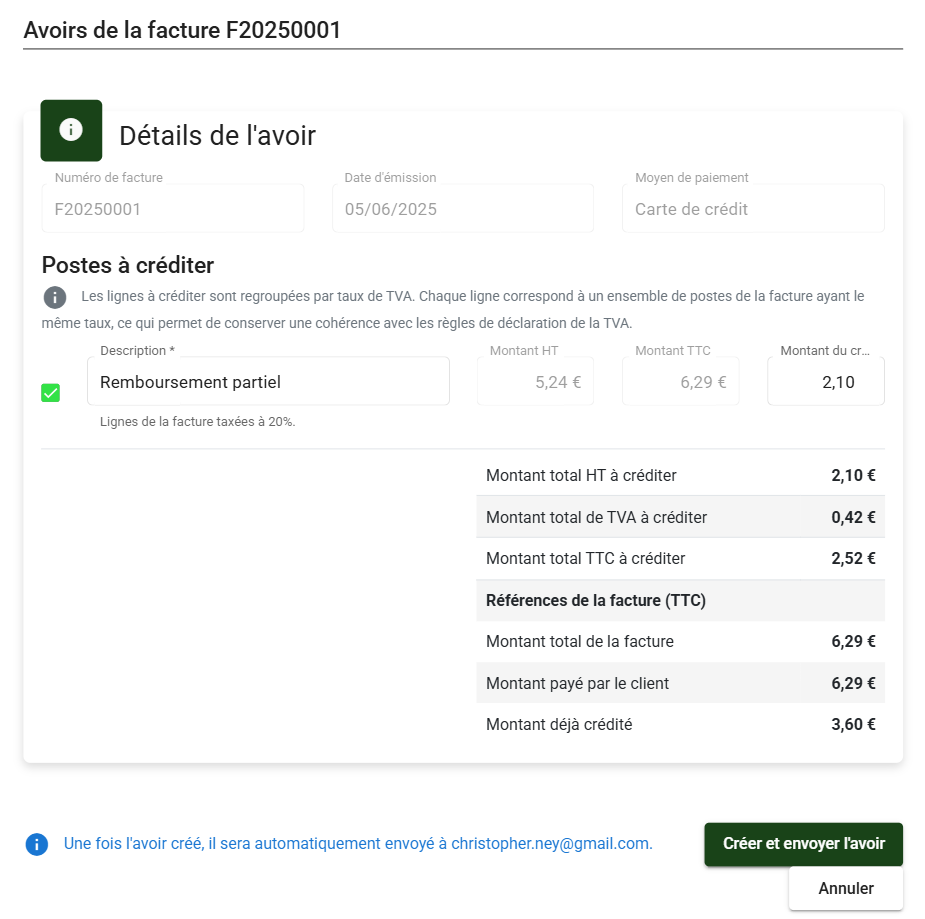
- A window opens to configure the credit note.
- If the invoice includes several VAT rates, one line per rate will appear, with the associated amount excluding tax.
- To generate a full credit note, fill in and validate all lines. Alternatively, you can also select only certain lines for a partial credit note and freely set the amount.
Summary
In the bottom right, a dynamic panel shows you:
- Credit note information: The amount excluding tax, VAT and including tax of the credit note (based on the values provided as credit amount).
- Invoice information: The amount due including tax, the amount paid including tax (in case of partial payment) and the amount already credited.
You can create several credit notes on the same invoice as long as the total amount is not exceeded; credit note creation remains allowed.
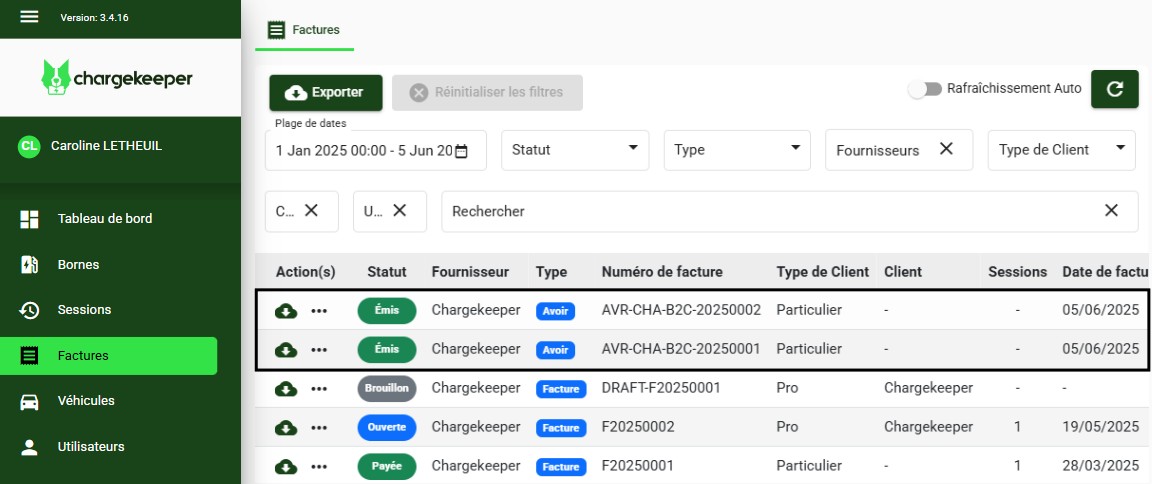
Once the credit note is created, it is automatically sent to the customer and accessible from supervision:
You can then process the refund of the credit note amount from the Stripe transaction.
