Charging station management
Charging station management lets you control your infrastructure remotely, ensure service continuity, and respond quickly in the event of an incident or maintenance.
From a charging station's row, several actions are available in the actions menu:
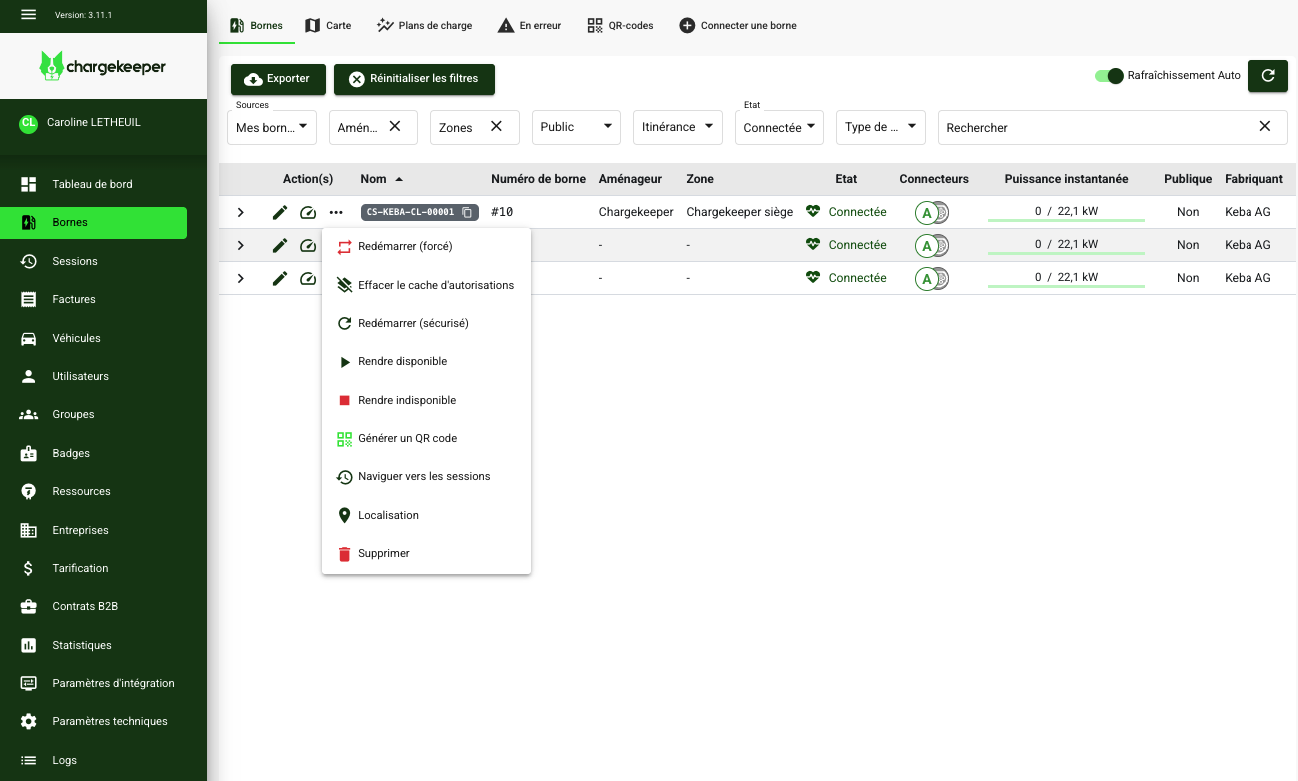
Restarting a charging station (Reset)
Restarting lets you resolve technical issues, apply configuration changes, or perform preventive maintenance.
After each restart, the charging station automatically sends a BootNotification to re-register with the supervision system.
Safe restart (SOFT Reset)
The SOFT Reset is a software restart of the charging station, without cutting the power supply.
- Ongoing sessions are stopped cleanly with a StopTransaction being sent
- The configuration is reloaded
- The WebSocket connection is reset
- System logs are preserved
- Reduced downtime (approximately 30 to 60 seconds)
👉 To be preferred in the majority of cases.
Forced restart (HARD Reset)
The HARD Reset is a full restart of the charging station, including a power cut.
- Complete hardware reinitialization
- Abrupt termination of ongoing sessions (risk of data loss)
- System tests on restart
- Longer downtime (2 to 5 minutes)
⚠️ Warning: the HARD Reset immediately interrupts ongoing sessions. To be used only as a last resort.
Clearing the local authorization cache
OCPP charging stations can maintain a local authorization list in order to keep operating even if communication with the supervision system is lost.
When needed, you can delete the local list entirely and force authorizations to go through the supervision system.
Managing connector availability
You can change the availability status of an entire charging station or of a specific connector.
This feature is useful for:
- planned maintenance,
- incident management.
Deleting a charging station
A charging station can be deleted at any time from the supervision system.
- If no session is in progress, deletion is immediate
- If a session is active, deletion is blocked:
- wait for the session to end,
- or force the session to stop before deletion
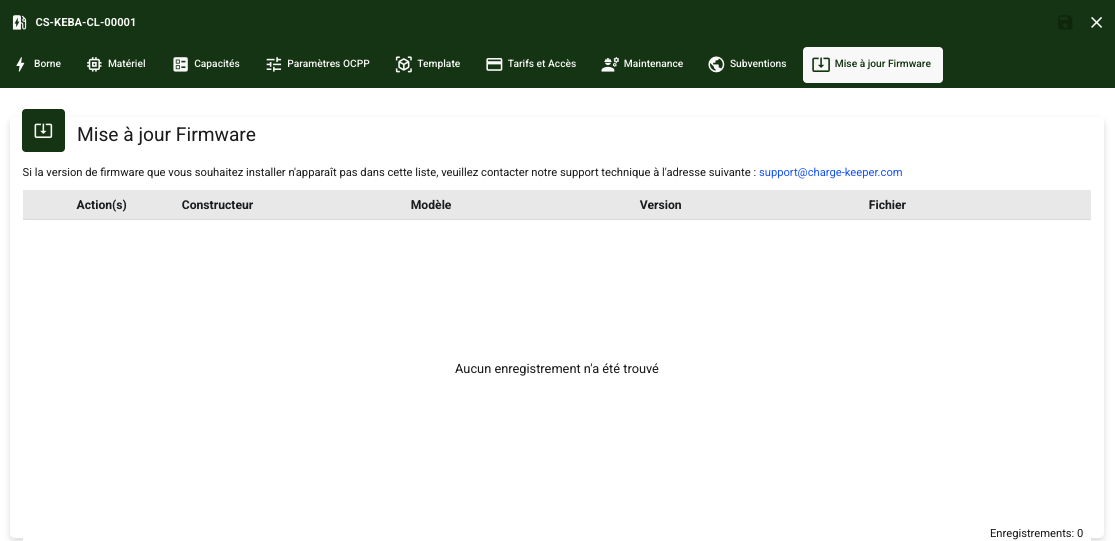
Remote software update (Firmware)
The firmware update can be triggered remotely via the supervision system.
- Firmware versions are integrated and controlled by Chargekeeper
- They can then be made available by an EVSE technician
- Chargekeeper does not trigger updates automatically
Updates help improve the security, stability, and features of the charging stations. They can be carried out from a charging station's detail view, in the Firmware update tab.
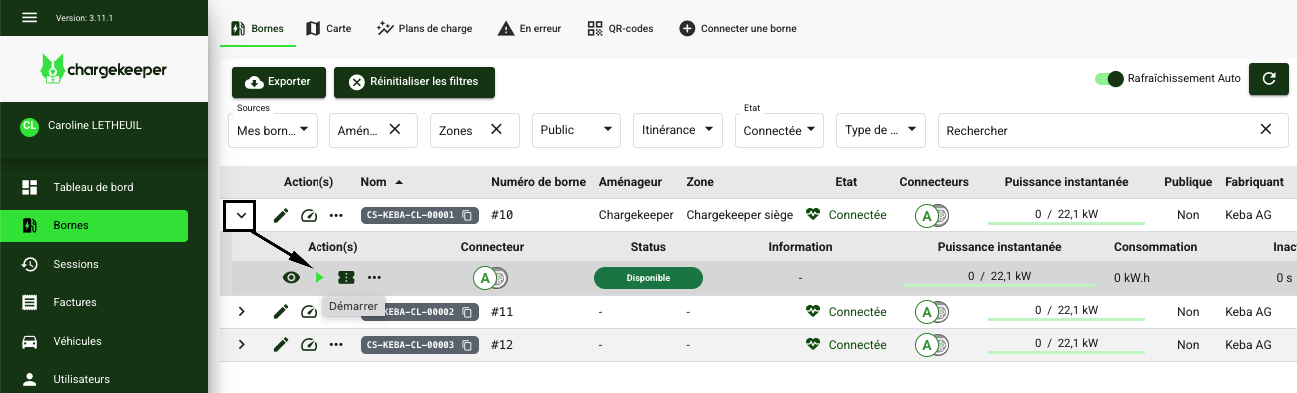
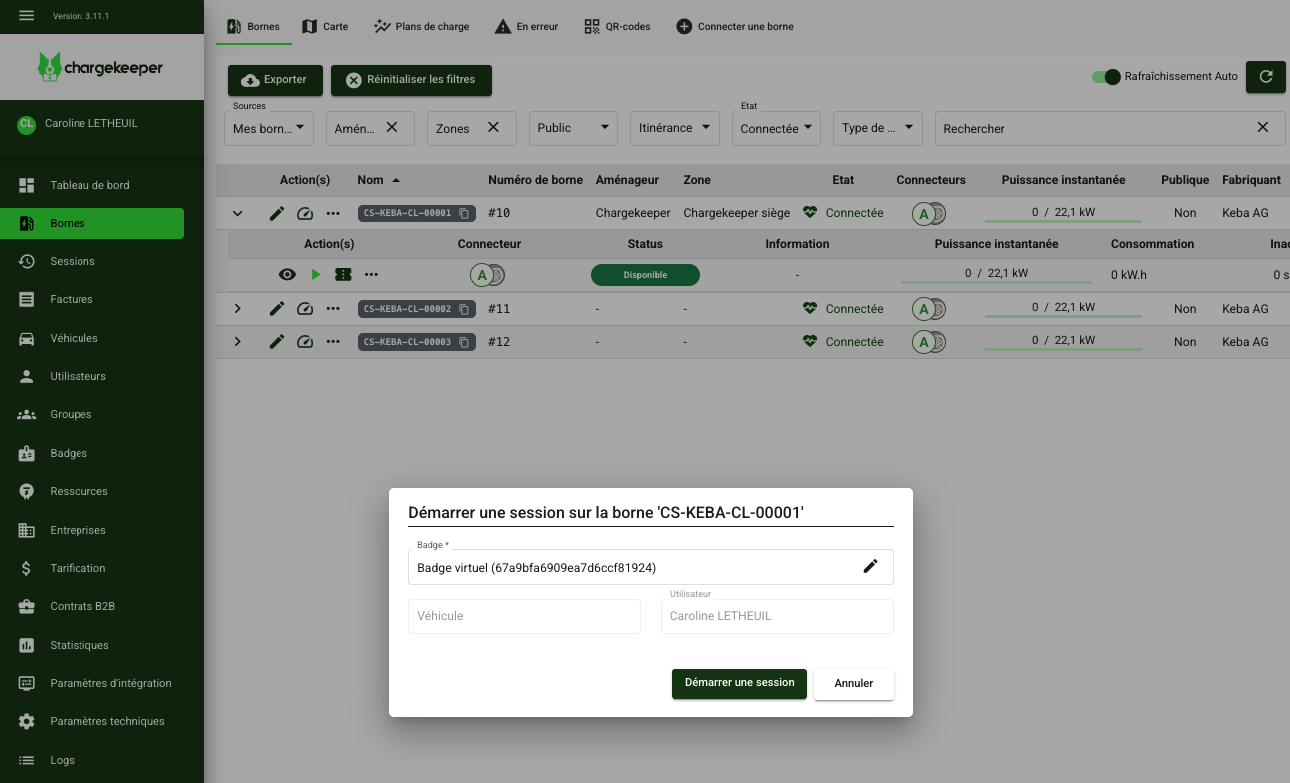
Starting a charge remotely
You can start a charging session remotely from the supervision system.
- Select the charging station
- Choose an authorized badge
- Start the charge
👉 The user then only has to plug in their vehicle for charging to begin.