
Connect an Elinta charging station
This guide explains how to configure an Elinta charging station to integrate it with Chargekeeper supervision via the OCPP protocol. Configuration is performed from the Elios Cloud technical supervision platform: https://elios.cloud
Prerequisites
Before any configuration, make sure you have:
- Access to the Elios platform: https://elios.cloud
- A connection token created in Chargekeeper, with the identifier (Charge Box ID) of the station to connect
Configuration steps on Elios
-
Log in to Elios
- Log in at https://elios.cloud
-
OCPP URL configuration
- From the administration interface, go to the OCPP configuration
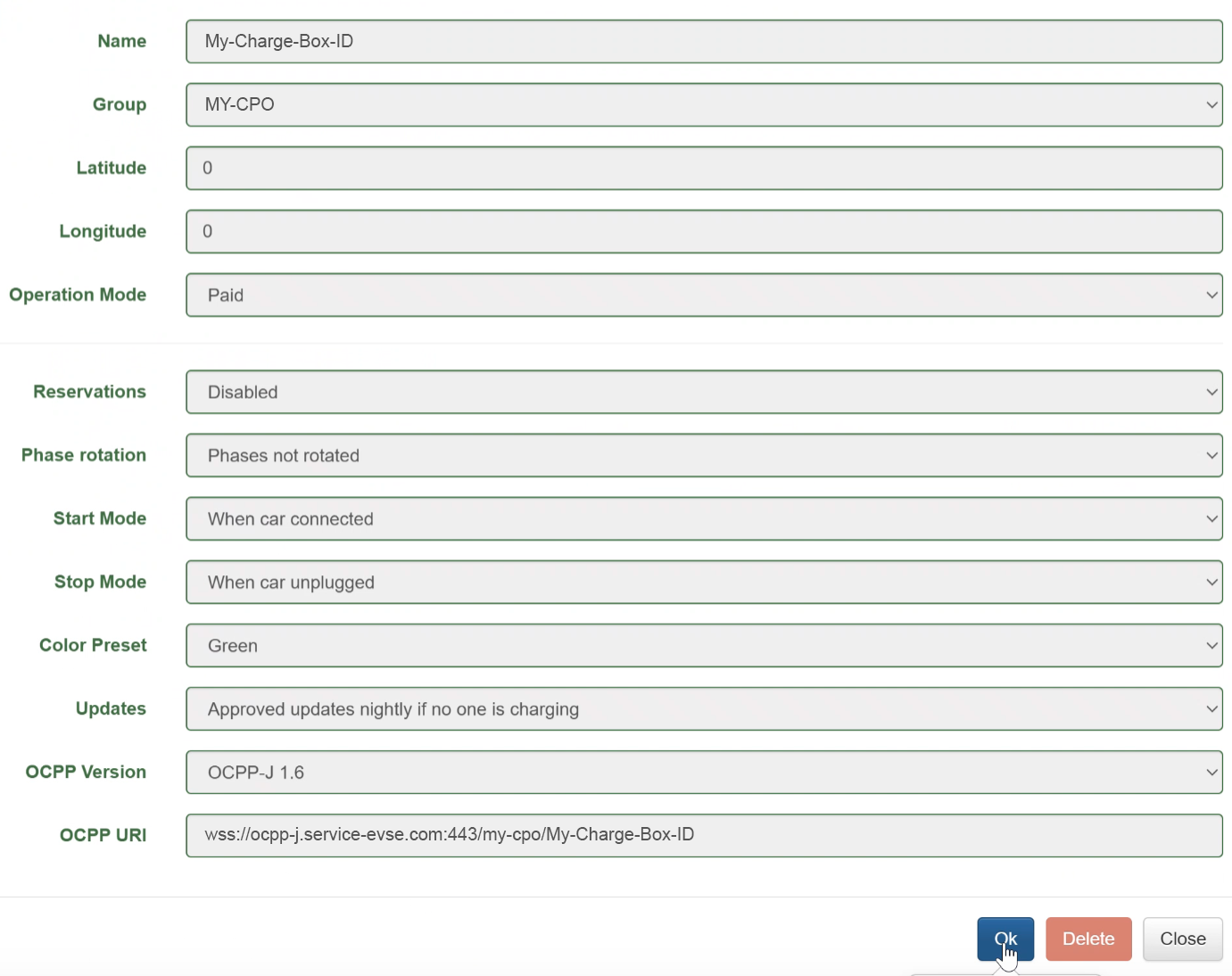
- Enter the full URL with the port and the station identifier (Charge Box ID)
Example:
-
URL provided by Chargekeeper:
wss://ocpp-j.service-evse-dev.com/my-cpo/ -
Station identifier:
My-Charge-Box-ID -
URL to enter in Elios:
wss://ocpp-j.service-evse-dev.com:443/my-cpo/My-Charge-Box-ID
The port number (:443) is mandatory. If it is not specified, it will be added automatically by Elios.
Recommended OCPP parameters
Below is the list of OCPP parameters recommended by Elinta:
| Key | Value | Description |
|---|---|---|
MeterValueSampleInterval |
60 (1 minute) |
Frequency at which measurement data is reported during a charging session. |
MeterValuesSampledData |
Energy.Active.Import.Register, Power.Active.Import, Current.Import,Current.Offered, Temperature |
Types of measurements transmitted to supervision during a charging session. |
CarConnectRequiresBothSides |
true |
The charging session starts only when the cable is connected both to the station and to the vehicle. |
CarDisconnectRequiresBothSides |
false |
Stops the charging session when the cable is unplugged on the vehicle side only. |
UnlockConnectorOnEVSideDisconnect |
true |
Stops charging and unlocks the cable when it is disconnected on the vehicle side. |
StopTransactionOnEVSideDisconnect |
true |
The station automatically stops the charging session when it detects that the vehicle is unplugged. |
BH_HardRebootIsSoftReboot |
true |
In the event of a restart triggered by supervision, the station does not reset its OCPP configuration. |
QR Code (Scan & Pay)
To enable the use of Scan & Pay on the station, activate the following options:
| Key | Value |
|---|---|
EnableQR |
true |
QRCodeURL |
https://url-qr-code-connecteur-1.com (connector 1) |
QRCodeURL2 |
https://url-qr-code-connecteur-2.com (connector 2) |
These URLs are generated automatically in Chargekeeper. Retrieve them from the station's details page.
Need help?
For any question or difficulty: support@charge-keeper.com
Manufacturer website: https://www.elintacharge.com
