Companies
A company represents a legal or operational entity and serves as an anchor point for:
- site areas and charging stations,
- users and groups,
- pricing and billing.
The different types of company
When creating a company, each one must be assigned a type:
- Charge Point Operator (CPO)
A company operating charging infrastructure.
It owns or manages the charging stations and site areas, and defines the access and pricing rules. - E-Mobility Service Provider (EMSP)
A company providing a charging service to end users (badges, app). It is involved in roaming scenarios. - Developer
A company that owns the charging stations or the land. A developer must always be attached to an operator (= CPO). - Client account (B2B)
A client company that uses another company's services but owns no charging stations/land.
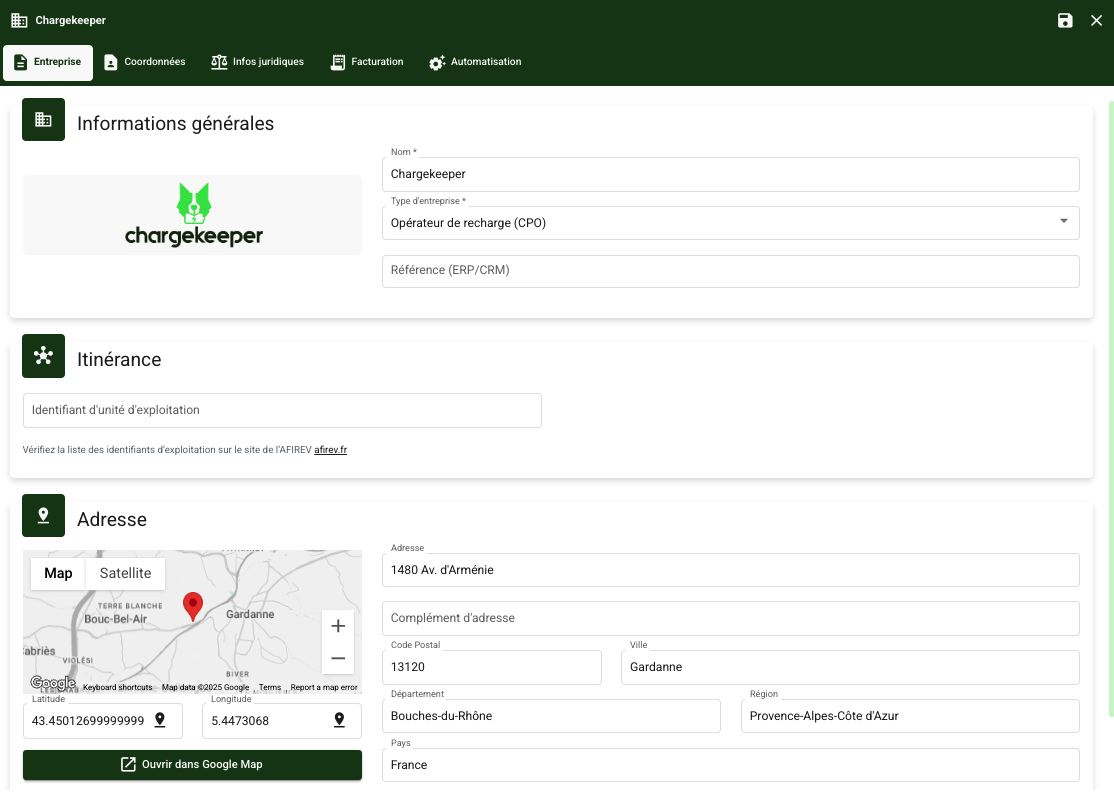
Company
- Go to the Companies module
- Click Create a company
General information
- Fill in:
- the company name,
- the company type,
- the location information,
- the logo.
- (Optional) Complete:
- the legal information,
- the billing settings,
- the user automation rules (after saving).
- Save
Contact details
Fill in the following contact details:
- Support email*
- Phone number*
- Website
*This data is required if you enable Qualicharge on a site area associated with the company.

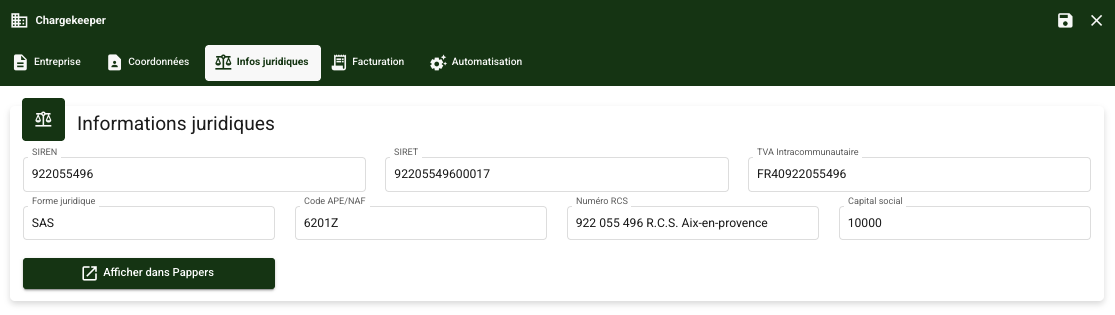
Legal information
Fill in:
- Siren
- Siret
- Intra-community VAT
- Legal form
- APE/NAF code
- RCS
- Share capital
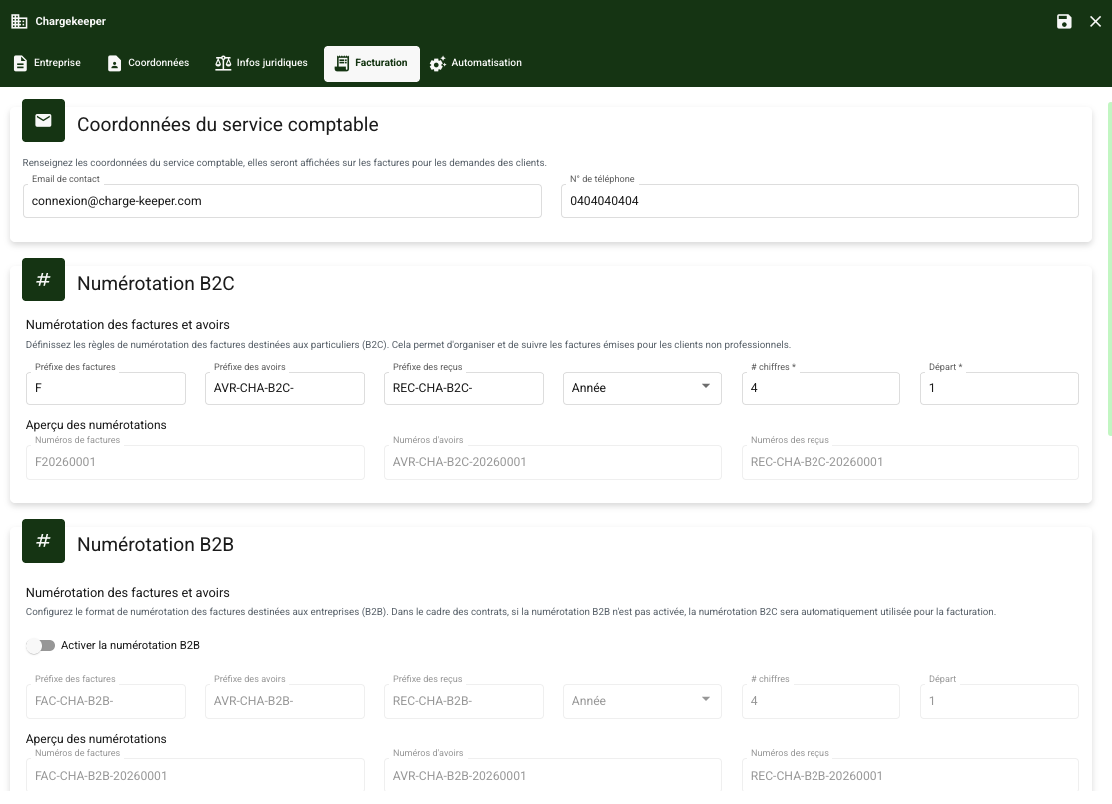
Billing
This tab lets you configure all billing-related settings, in particular:
- the accounting department's contact details,
- the B2C and B2B invoice numbering,
- bank details,
- the footer of accounting documents.
If B2B invoice numbering is not enabled, B2B accounting documents will be included in the same numbering sequence as B2C invoices.
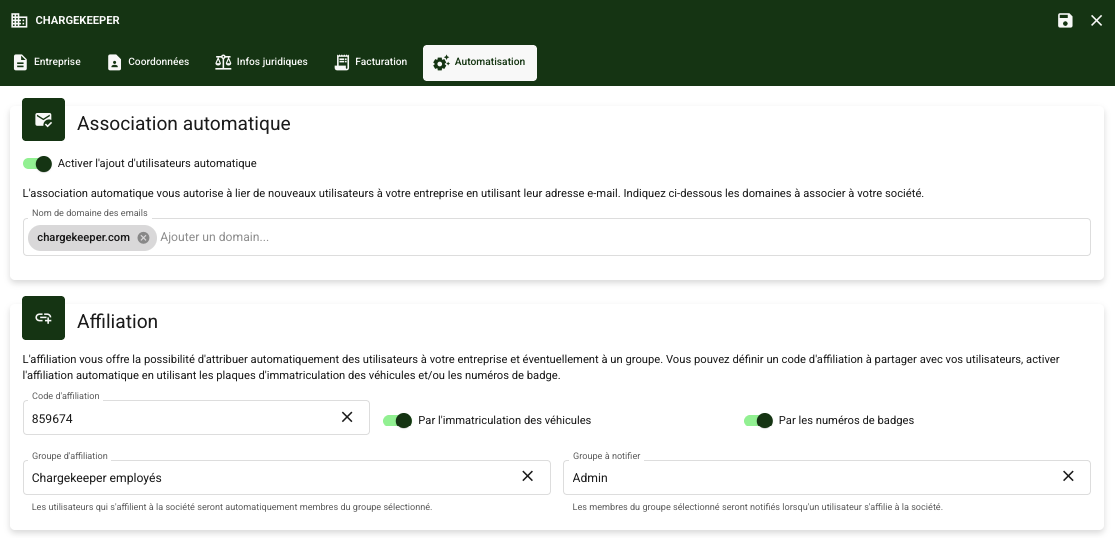
Automation
The affiliation mechanism concerns attaching users to a company.
What is affiliation used for?
Affiliation automatically associates users with a company in order to simplify configuration & access:
- give them access to the company's site areas and charging stations,
- apply the right groups, roles and pricing.
How does affiliation work?
When creating or configuring a company, you can enable an automation rule:
- A user who signs up with a specific email domain (e.g.
@entreprise.com) is automatically attached to the corresponding company, without manual intervention from an administrator. - A user who signs up via the app can then affiliate themselves using different methods:
- Affiliation code
- Vehicle registration number
- Badge number