
Charging station capabilities
A charging station's capabilities define the specific features supported by the hardware. These options directly affect the user experience through the mobile app or the Scan & Pay interface.
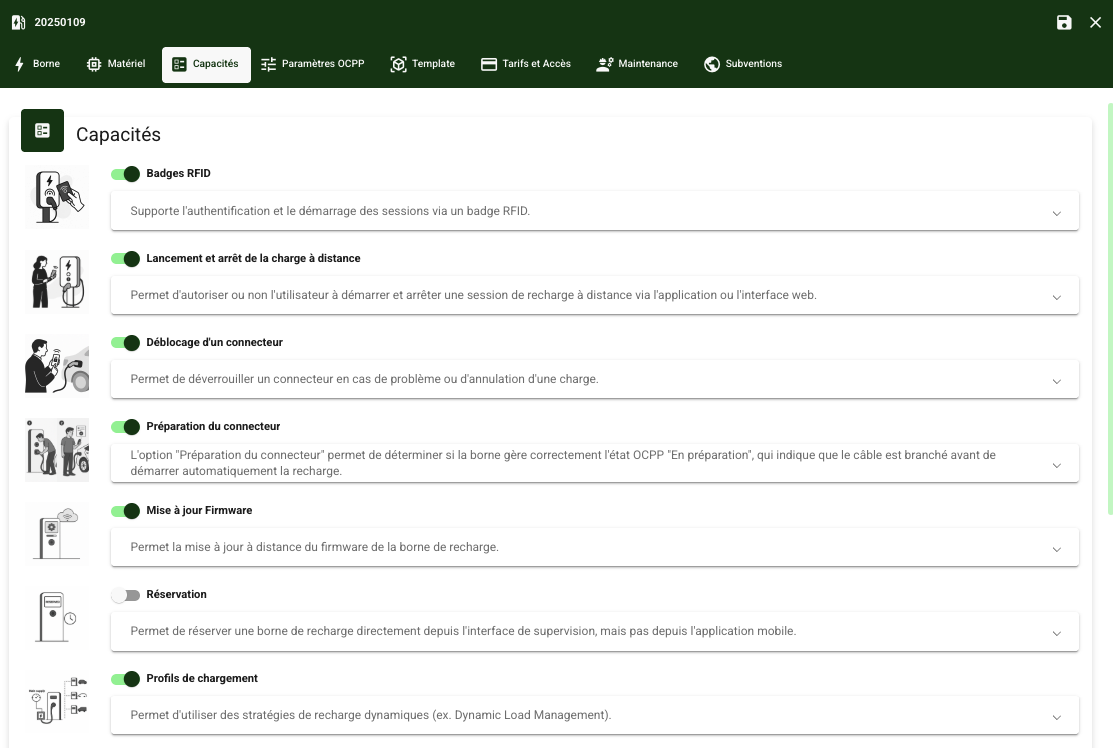
When the charging station is connected to the supervision, Chargekeeper analyzes the value of the SupportedFeatureProfiles key to automatically configure certain capabilities such as:
- Charging profiles: If the charging station supports the Smart Charging module, this capability will be enabled.
- Firmware update: If the charging station supports update management via OCPP, the capability is enabled automatically.
- Reservation: Enables the ability to reserve a connector via the supervision if the charging station supports this profile.
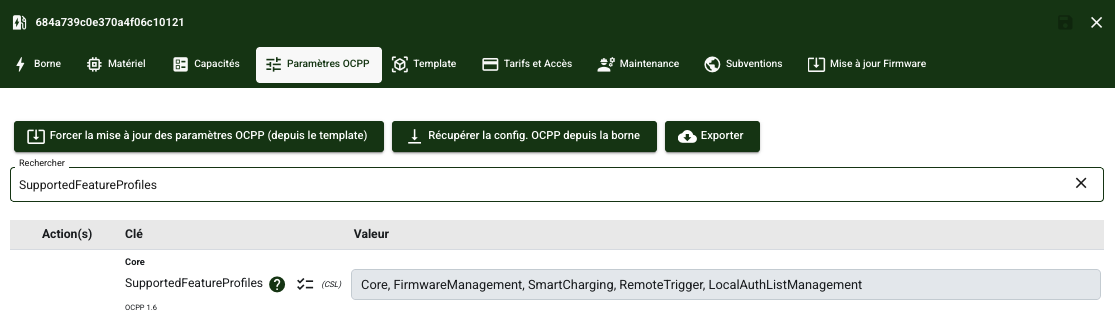
Important: Although some capabilities are configured automatically, they can be adjusted manually through the Chargekeeper interface if needed.
| Capabilities | Description |
| RFID badges |
Enables charging authorization via an RFID badge.
Recommendation: Enable this option in most of your charging station configurations. |
| Remote start and stop of charging |
Allows or prevents the user from starting and stopping a charging session remotely via the app or the web interface.
Recommendation: Enable this option if you want to give users the flexibility to start or stop a charging session remotely. |
| Connector unlocking |
Allows manual unlocking of the connector to be managed when needed.
Recommendation: Enable this option to provide more flexibility in case the connector gets stuck. |
| Connector preparation |
The "Connector preparation" option determines whether the charging station correctly handles the OCPP "Preparing" state, which indicates that the cable is plugged in before charging starts automatically. If the option is enabled:
If the option is disabled:
Recommendation: To ensure a smooth user experience on charging stations that do not support the advanced OCPP state cycle, it is advised to disable this option. |
| Firmware update |
Allows firmware updates to be applied remotely via the supervision.
Recommendation: Enable this option to keep your charging station automatically up to date (if the charging station manufacturer allows it). |
| Reservation |
Allows the administrator to reserve a charging station via the supervision portal (not accessible to the user).
|
| Charging profiles |
Allows dynamic charging strategies to be used (e.g. Dynamic Load Management).
Recommendation: Enable this option to steer charging stations via Smart Charging. |
| Static limitation |
The "Static limitation" option restricts the charging power of the station by setting a maximum current. Important: This option does not comply with the OCPP standard, but some manufacturers allow a static power limitation to be configured without using the charging profiles of the Smart Charging module. This is achieved by setting a maximum current via a manufacturer-specific OCPP configuration key (outside the OCPP standard). Recommendation: It is strongly recommended to avoid using this option and to favor intelligent steering of the charging station via the Smart Charging module and charging profiles |
| Master/Satellite mode |
This option allows the charging station to be configured in "Master" or "Satellite" mode, making it easier to manage several networked charging stations.
Recommendation: Use this option for installations where several charging stations share a common power supply. |
| Bank cards |
Allows the charging station to accept bank card payments via an integrated terminal.
Recommendation: Enable this option if the charging station has a payment terminal. |
| Local authorization list |
Allows the charging station to operate in standalone mode using a local list of authorized RFID badges, usable in the event of a loss of connection to the server. This feature is offered only by certain charging station manufacturers. It is useful to ensure service continuity in the event of a network outage. |
| Remote triggering |
Allows the supervision to manually send certain commands to the charging station, as if it were issuing them itself. This feature depends on the manufacturer's OCPP support. The following commands can be triggered remotely: BootNotification, Heartbeat, MeterValues, StatusNotification, DiagnosticsStatusNotification, FirmwareStatusNotification. |
Static limitation
- If this option is enabled, you must enter in the Chargekeeper supervision:
- The OCPP key name specific to the manufacturer, used to define the static limitation.
- The unit of this key (for example: A for amperes, mA for milliamperes, dA for deciamperes, etc.).
Example configuration (Keba charging station):
| Parameter | Example value |
|---|---|
| Static limitation key | MaxAvailableCurrent |
| Limitation unit | mA |
