
Session management
Session management lets you track, analyze and leverage every charging session carried out on your infrastructure.
From a session, you can perform specific actions or access all the technical, energy and financial data associated with it.
Understanding session details
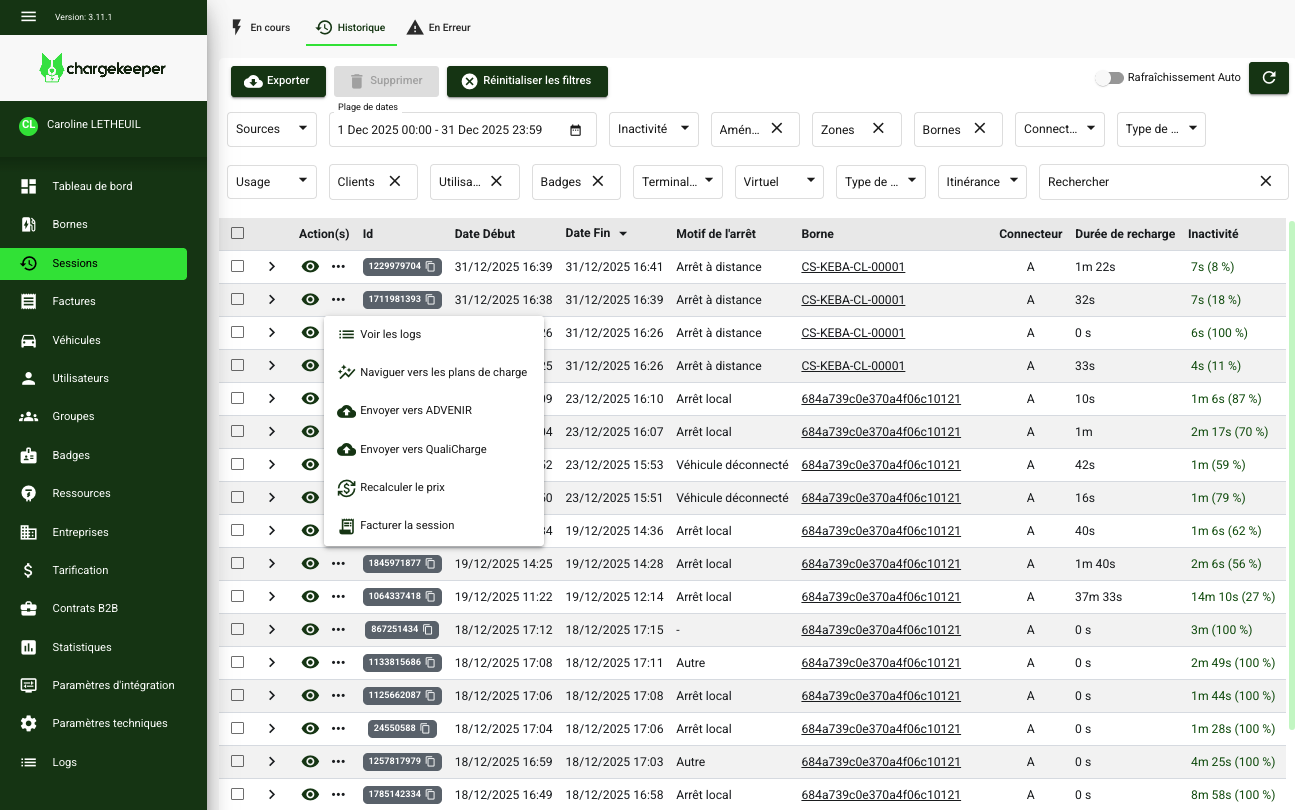
Each session brings together all the information related to a specific charging session.
General information
You will find the following data:
- User
- Badge
- Roaming
- Charging station
- Vehicle
- Session details:
- Session ID
- Start / end date and time
- Charging duration
- Idle duration
- Total duration
- Energy consumption
- Battery level (DC charging stations only)
- Amount billed (price paid by the user)
- Environmental indicators
- Energy mix
- CO₂ savings achieved
Charging curve
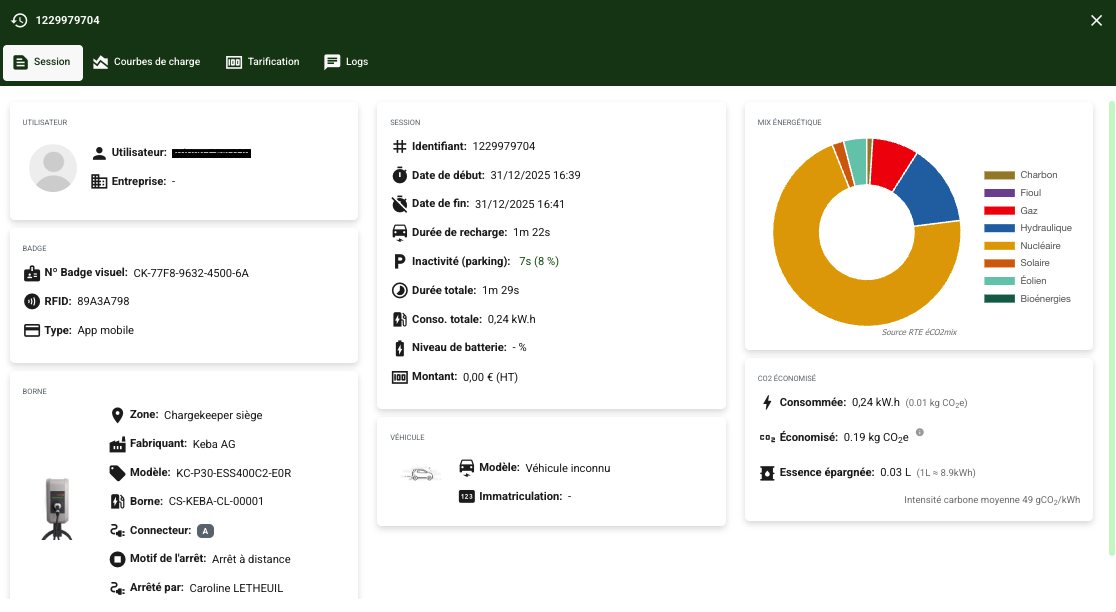
The charging curve is built from the data transmitted by the charging station.
👉 To ensure a usable curve, it is essential to enable at least the OCPP keyMeterValuesAlignedData with the ENERGY_ACTIVE_IMPORT_REGISTER measurement.
The charging curve can be exported in the following formats:
- XLS
- JSON
- CSV
These exports allow you to analyze how the charging session unfolded in fine detail.
Pricing
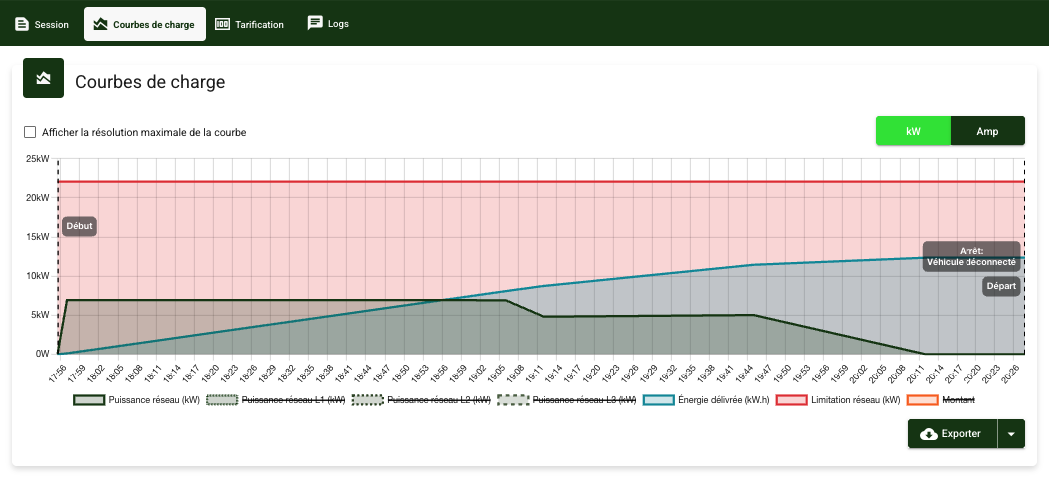
If a valued tariff is applied to the session, the billing breakdown appears in this tab:
- pricing components (fixed fee, energy, charging time, parking…),
- total amount.
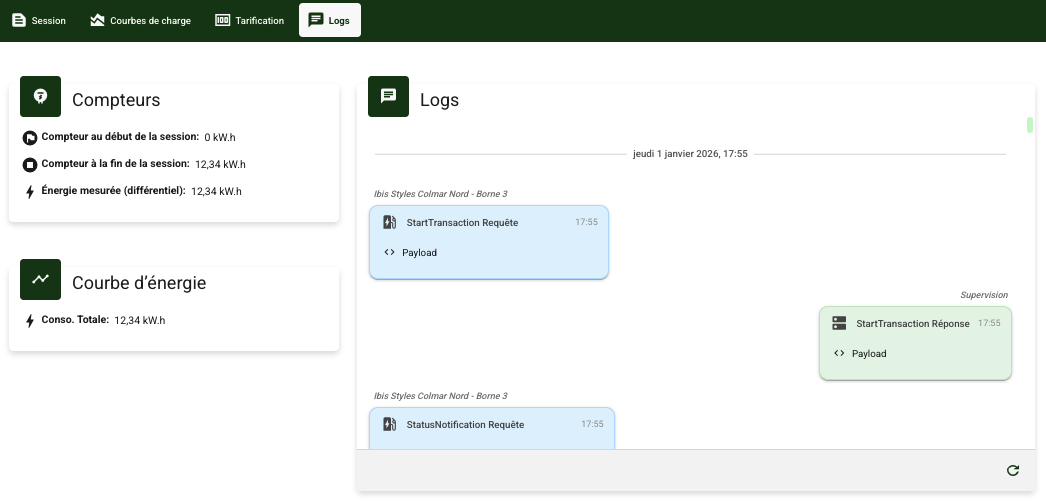
Session logs
The Logs tab lets you analyze the consistency of consumption data.
It displays:
- the meter readings at StartTransaction and StopTransaction,
- the consumption derived from the MeterValues.
Managing consumption discrepancies
Depending on the comparison between the meter data and the curve:
- Case 1 – Meter identical to the curve → Normal billing.
- Case 2 – Meter higher than the curve → The meter readings prevail, the curve is adjusted and then the session is billed.
- Case 3 – Meter lower than the curve → Session not billed, a manual check is required.
OCPI sessions (Roaming)
If the session comes from roaming:
the details of the CDR transmitted to the Gireve platform are visible in this tab.
View logs
Redirects to the Logs module with an automatic filter on:
- the charging station,
- the session period.
Lets you review all OCPP events (Start, Stop, MeterValues…).
Recalculate the price
Lets you recalculate the tariff of a session only if it has not yet been billed.
Bill the session
Once the price has been recalculated:
- the session can be billed,
- the invoice is generated,
- the payment is triggered if collection is immediate.
Send the CDR (Roaming)
Lets you resend the CDR to Gireve, in particular:
- after correcting a tariff,
- in the event of an error on a previously sent CDR.
Export the CDR (Roaming)
Lets you export the CDR in order to:
- share it with a third party,
- analyze it outside the platform.
Send to Advenir
Lets you resend the session data to Advenir.
Send to Qualicharge
Lets you transmit the session data to Qualicharge.
This option is available only if Qualicharge is enabled on the charging station.
