
Open-Charge
What is open-charge?
The open-charge mode allows any vehicle, once plugged in, to automatically start charging without a badge, without authentication, and without authorization.
This is the principle of free or open charging: you plug in, it charges.
This mode is often used in closed corporate car parks or private depots, where physical access to the area already constitutes an implicit access control.
How does open-charge work?
In a standard setup, a charge point connected to a supervision platform like Chargekeeper sends an Authorize command (OCPP) on every charging attempt to verify that the badge or vehicle is authorized.
In open-charge mode, this step is bypassed or automated through various implementation techniques depending on the manufacturer.
Main mechanisms observed
| Operating mode | Description |
|---|---|
| Fixed virtual badge | The charge point always sends the same virtual identifier (idTag) during the Authorize command. |
| Code to enter | A code entered on the charge point's screen triggers the charging session (the code often matches the virtual badge transmitted). |
| Random virtual badge | A different virtual identifier is generated on each charging attempt. |
| Vehicle identification (VIN or MAC) | The charge point sends the vehicle's VIN or MAC address for automatic recognition by the supervision platform. |
Configuration in Chargekeeper
You have two options to enable open-charge mode:
-
Declare the virtual badge in Chargekeeper
Recommended for better traceability and security. -
Disable access verification on the relevant area
Less secure: anyAuthorizerequest is accepted, regardless of theidTagsent.
Configuration on the charge point side
Depending on the manufacturer, open-charge can be enabled through:
- The charge point's local configuration interface (direct connection via cable or Wi-Fi)
- The manufacturer's technical supervision platform
- Or through the OCPP keys configurable from Chargekeeper
Examples of OCPP keys by manufacturer
| Manufacturer | Open-charge activation key | Virtual badge key |
|---|---|---|
| Keba | AuthorizationModeOnline |
DefaultTokenID |
| Ingeteam | RfidAccess |
DefaultRfidTag |
| ABB | FreevendEnabled |
FreevendIdTag |
| Schneider | AuthenticationOCPPMode |
DefaultIdTag |
If your charge point is not listed in this table, contact your manufacturer or reseller to obtain the documentation for the required OCPP keys.
Special cases
If your charge point does not natively support open-charge mode, you can:
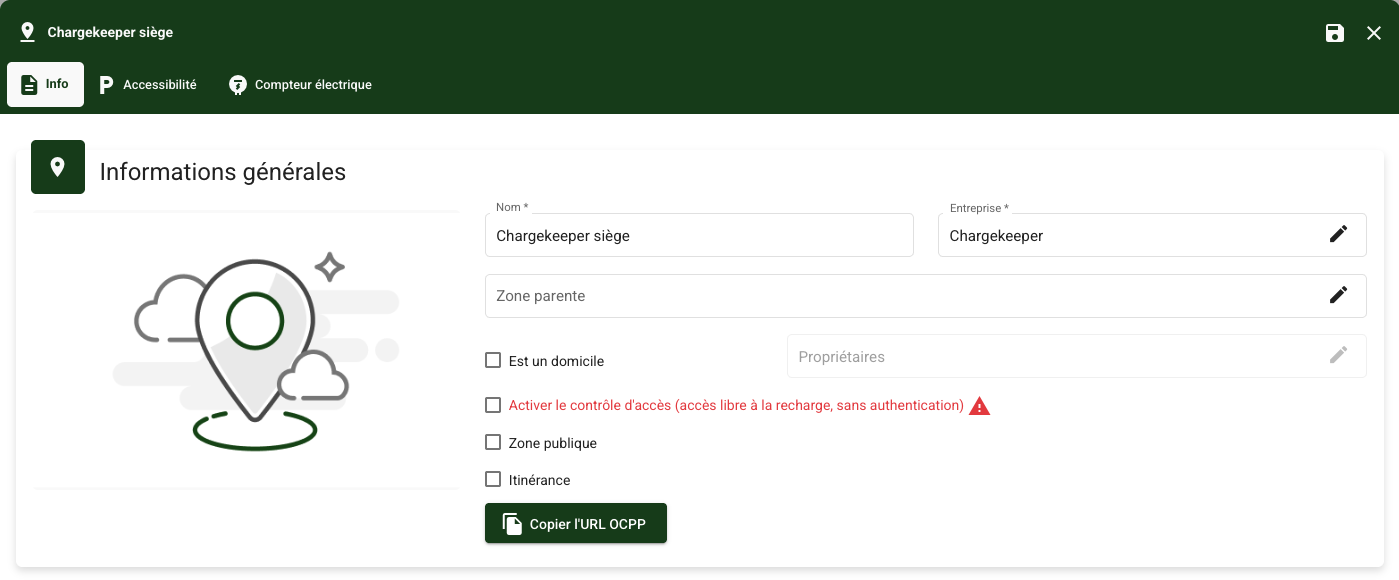
- Disable access control in Chargekeeper
The charge point sends anAuthorizerequest and Chargekeeper always responds positively.
This mode is functional but less secure.
- Configure a local whitelist of authorized badges (if supported by the charge point's firmware)
Refer to the manufacturer's documentation for more information.
Common errors and diagnostics
| Issue | Recommended checks |
|---|---|
| Open-charge does not work | - Check that the charge point is compatible with open-charge mode - Check that the feature is properly enabled - Check that the virtual badge is configured in the charge point and in Chargekeeper |
| Charging does not start when I plug in the vehicle | - Check that the charge point is compatible with auto-charge mode (not to be confused with Plug & Charge) |
Need help?
Our support team is available to assist you with the configuration and diagnosis of open-charge.
Feel free to contact us or consult your manufacturer's documentation.
